
 Search
 Back to partnerships
CareCredit + Solutionreach
Industry
 Cosmetic
 Dental
 Optometry


About
Solutionreach helps healthcare providers automate reminders, collect patient information, and process payments — saving time for staff and improving patient experiences.
Features
- Quickly and securely help patients apply right from the practice software.
- Automate your payment and refund process with custom links sent directly to your patients, so they can pay easier and you receive payment in two business days.
- When a patient pays with CareCredit, their payment is posted automatically to the ledger, so your staff spends less time hunting down payments.
- See which patients already have or are pre-approved for the CareCredit credit card before their appointment, so you can have confident payment conversations.
- Quickly and easily send patients CareCredit applications and payment requests—directly to their personal devices to complete on their own.
- Gain helpful insights like financial metrics, how many pre-approved patients have yet to schedule treatments and the average number of applications per week.

Activation
Enabling CareCredit in Solutionreach is easy:
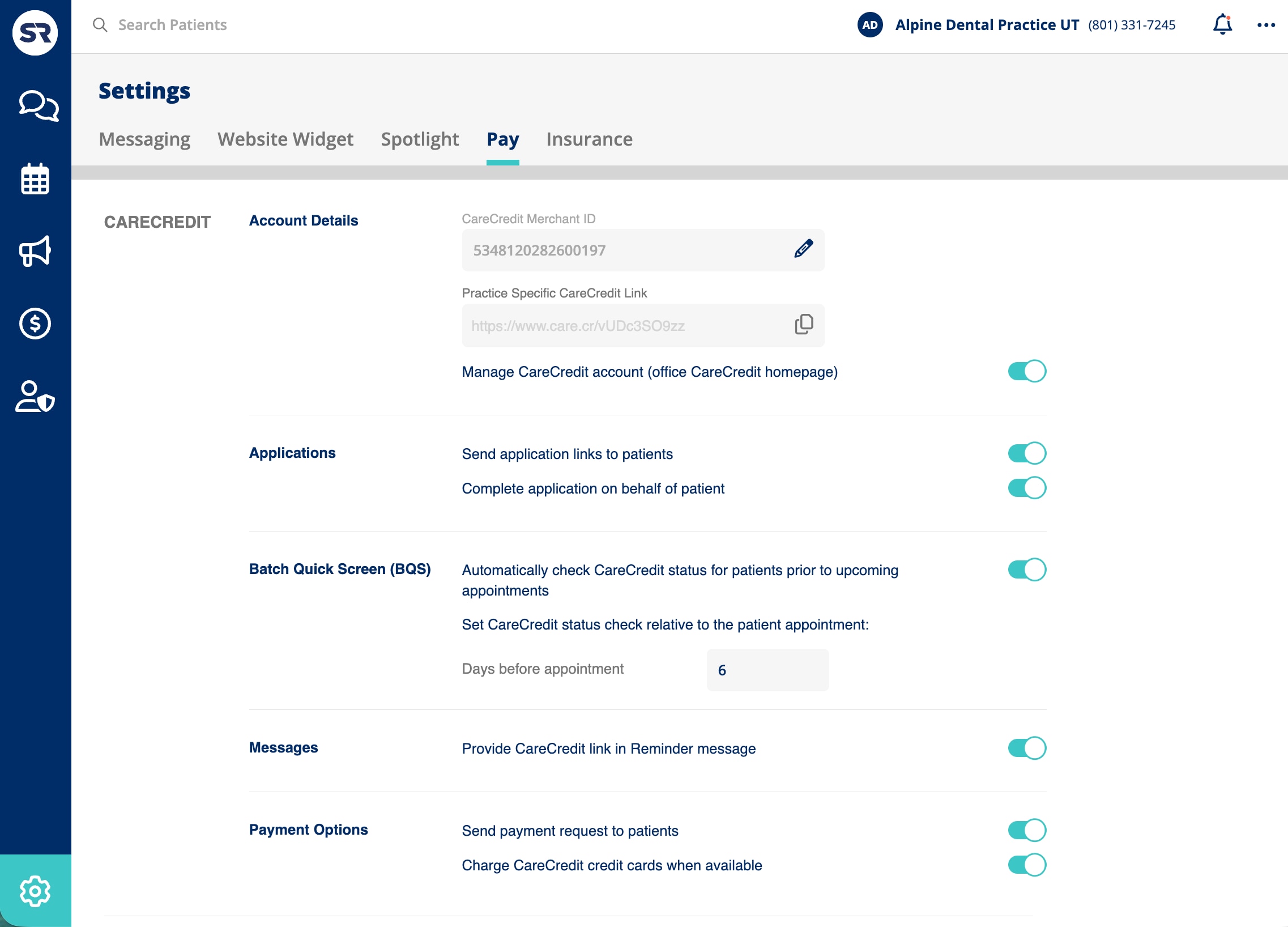
- In Conversations, click the Settings (gear) icon in the bottom-left corner, then select the Pay tab.
- In the CareCredit section, enter your 16-digit Merchant ID. Your Practice Specific CareCredit Link will automatically populate.
- Review your CareCredit settings, using the toggles to turn on or off various settings:
- Manage CareCredit Account – Opens your CareCredit account portal inside Conversations.
- Application Options – Provides the ability to send application links to patients or complete them on their behalf.
- Batch Quick Screen (BQS) – Automatically checks patient CareCredit status before appointments. You can select how many days before an appointment to check.
- Messages – Choose whether CareCredit application links appear in reminder messages.
- Payment Options – Allows you to send CareCredit payment requests or charge CareCredit credit cards when available.