
 Search
Website Marketing
Your website may be the first place patients or clients learn about your practice and the financing options you offer. Make sure your CareCredit financing options are easy to find on your website.
How to use website assets
Use these ready-made website assets to promote financing options by adding a CareCredit financing page or selecting individual CareCredit assets to use on your website.

Prebuilt webpage template
Add a CareCredit financing page to your website that can be customized to align with your brand and seamlessly promotes financing options to your patients and clients.
Customize now

Build your own webpage
Use a combination of CareCredit website assets – including banners, buttons, and the payment calculator – to promote financing options on your website.
View guide
Promotional Module
Add a customizable, responsive promotional module to your website to let patients or clients know about financing with CareCredit. Log in to access the HTML code for your promotional module.
Get promotional moduleBanners
Add your preferred banner to your website. Be sure to link the banner to your location’s unique custom link so patients or clients can apply and pay. Log in to access your website assets and custom link.
Check out our how-to guide for Adding CareCredit marketing assets to your website to learn more about how to embed images and add links to your site.

Copy custom link for banners
 Copied to clipboard
 Copied to clipboard
 Copied to clipboard
 Copied to clipboard
 Copied to clipboard
 Copied to clipboard
 Copied to clipboard
 Copied to clipboard
 Copied to clipboard
 Copied to clipboard
 Copied to clipboard
 Copied to clipboard
 Copied to clipboard
Buttons
Add your preferred button to your website. Be sure to link the button to your location’s unique custom link so patients or clients can apply and pay. Log in to access your website assets and custom link.
Check out our how-to guide for Adding CareCredit marketing assets to your website to learn more about how to embed images and add links to your site.
Copy custom link for buttons
Copied to clipboard Copied to clipboard
 Copied to clipboard
 Copied to clipboard
 Copied to clipboard
 Copied to clipboard
 Copied to clipboard
Payment Calculator
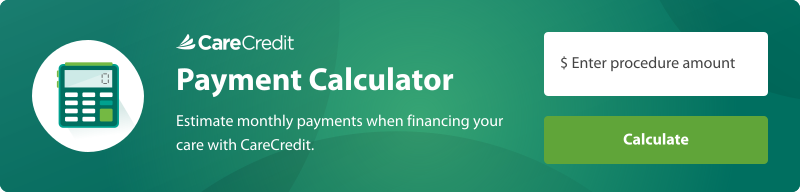
Add an interactive payment calculator directly to your website to help patients or clients estimate monthly payments. Log in to access the HTML code for your payment calculator.
Get payment calculator
Need more help?


Call Support
(800) 859-9975
Option 1, then 6, Monday – Friday: 8:00 AM – 6:30 PM (EST)
For other inquiries, follow the prompts:
Monday – Saturday: 7:30 AM – 2:00 AM (EST), Sunday: 9:00 AM – 2:00 AM (EST)

SEND VIA EMAIL
Carecredit Website marketing asset